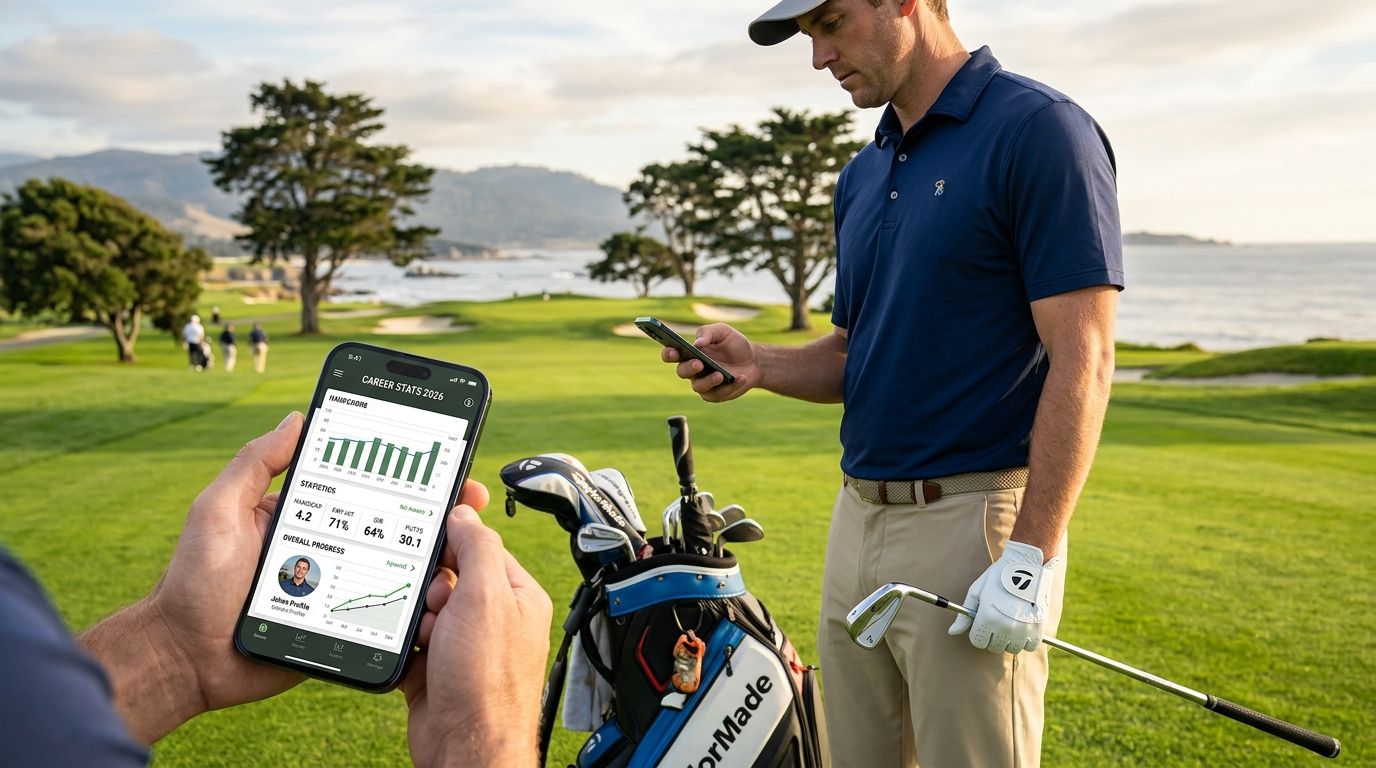
Best overall for tracking career stats: LFG Golfing. Best for official handicap history: TheGrint. Best for strokes gained by club: Arccos Caddie.
- LFG Golfing wins for golfers who want a career course log and shareable stat cards, not just a private spreadsheet.
- TheGrint is the pick when a club or league needs a GHIN-authorized handicap index tied to your history.
- Arccos Caddie is the only app on this list that produces strokes gained per club, but it needs sensors on every stick.
- Golfshot and SwingU work fine as GPS tools first and stat trackers second.
- 18Birdies leans social; its career trend charts are thinner than a dedicated stat tracker.
Why this matters
Most golfers' round history lives and dies inside one app. Switch phones, cancel a subscription, or just stop opening the app for a season, and years of scores vanish with it.
The question behind "golf app track career stats" isn't just which app scores a round well — it's which one keeps that data usable five years from now. LFG Golfing builds around logging every course you play and turning that history into stat cards you can actually share, which solves the disappearing-data problem differently than a pure golf stat tracker app does.
That distinction drives this list. Some apps optimize for the single round in front of you. Others optimize for the career arc — every course, every trip, every year stacked on top of the last.
What makes the best golf app for tracking career stats
- Career history depth — does it store years of rounds, or just the current season
- Handicap accuracy — GHIN-authorized index versus a self-calculated number
- Stat granularity — fairways, greens, putts, strokes gained, not just total score
- Group and trip features — can you share history with the buddies you actually play with
- Platform fit — native iPhone support, Apple Watch sync where it matters
- Data portability — can the stats leave the app in a form you can keep
At a glance
| App | Best for | Standout feature | Key limitation |
|---|---|---|---|
| LFG Golfing | Group trip stat cards & career course log | Shareable stat cards built for group chats | No club-level swing sensors |
| TheGrint | Official handicap history | GHIN-authorized index tracking | Not built for group sharing |
| Arccos Caddie | Strokes gained by club | Sensor-based shot tracking on every club | Requires buying and attaching sensors |
| Golfshot | Round-by-round GPS archive | Green-level GPS with multi-season history | Deeper stats sit behind an upgrade tier |
| 18Birdies | Social leaderboards | Feed-style sharing and course check-ins | Career trend charts are thinner |
| SwingU | Course database + rangefinder | Rangefinder paired with a course guide | Career stat depth is light |
Start logging your career stats
Log every course, track group trips, share the stat card.
1. LFG Golfing: best golf app for group trip stat cards and career course logs
LFG Golfing logs every course you play, tracks group golf trips with your regular crew, and turns the results into a stat card you can drop straight into a group chat. It's built around the idea that career stats matter more when the whole group can see them, not just you.
LFG Golfing pros:
- Logs your full course history in one place, trip after trip
- Built for group trips, not just solo rounds
- Stat cards are shareable — no screenshotting a spreadsheet
- Runs natively on iPhone, no extra hardware needed
LFG Golfing cons:
- No sensor-based swing data like Arccos Caddie
- Doesn't calculate strokes gained per club
- Handicap history is lighter than a GHIN-authorized tracker like TheGrint
Best for: golfers who play annual trips with the same group and want a career log that's actually shareable, not just stored.
Verdict: Buy.
2. TheGrint: best golf app for official handicap history
TheGrint is a GHIN-authorized provider, which means the handicap index it calculates is the kind clubs and leagues actually accept. Every round you post ties into that official number, building a scoring history over multiple seasons.
TheGrint pros:
- Handicap index accepted at clubs that require an official number
- Long-term scoring history tied to a single index
- Works on both iPhone and Android
TheGrint cons:
- Interface is built around handicap math, not group sharing
- No stat-card format for group chats
- Deeper stat breakdowns require extra steps
Golfers who need a certifiable handicap trail should compare it directly against other apps for tracking handicap before picking one.
Best for: golfers who need an official handicap trail for club events or tournament entry.
Verdict: Buy if you need an official handicap; Hold otherwise.
3. Arccos Caddie: best golf app for strokes gained by club
Arccos Caddie uses sensors attached to each club in your bag to auto-record shot location and distance. Over a season, that builds into strokes gained data broken down by individual club — a level of detail most trackers can't touch.
Arccos Caddie pros:
- Club-level data most apps don't offer
- Strokes gained trends build automatically, no manual entry
- Distance data updates as your swing changes year over year
Arccos Caddie cons:
- Requires buying and attaching sensors to every club
- Setup and battery upkeep add friction most casual golfers skip
- Overkill if you just want a season-over-season score log
Golfers chasing single-digit handicaps should weigh it against other apps for tracking strokes gained before committing to sensor hardware.
Best for: golfers who want to know exactly which club in the bag is costing them strokes.
Verdict: Buy for serious analytics; Skip if you're mainly tracking trips with friends.
4. Golfshot: best golf app for round-by-round GPS archive
Golfshot pairs a green-level GPS rangefinder with a stat entry system that keeps a round-by-round archive going back multiple seasons. It works as a single app for both the GPS layer and the stat layer.
Golfshot pros:
- Accurate GPS on approach shots
- Round archive spans multiple seasons
- One app covers both rangefinder and stat entry
Golfshot cons:
- Deeper trend charts sit behind an upgrade tier
- Group trip features are limited
- Sharing isn't built for group chats
Best for: golfers who want GPS and a stat archive without switching apps mid-round.
Verdict: Hold — solid, but check what's included before you commit to it as your career tracker.
5. 18Birdies: best golf app for social leaderboards
18Birdies runs on a social feed format — leaderboards, course check-ins, and score posts that friends can see and react to. It's built for visibility more than deep analytics.
18Birdies pros:
- Leaderboard format makes casual competition visible
- Course check-ins build a played-courses list over time
- Feed style feels familiar if you're used to social apps
18Birdies cons:
- Career trend charts are thinner than a dedicated stat tracker
- Handicap calculation isn't GHIN-authorized
- Stat output isn't formatted for pasting into a group chat
Best for: golfers who care more about bragging rights on a leaderboard than granular career data.
Verdict: Hold.
6. SwingU: best golf app for course database and rangefinder
SwingU leads with a course guide and rangefinder, with a lighter stat-tracking layer sitting on top. It's a rangefinder first and a career tracker second.
SwingU pros:
- Large course database with tee time info
- Rangefinder doubles as the primary use case
- Simple score entry for casual rounds
SwingU cons:
- Career stat depth is thin compared to dedicated trackers
- No sensor or strokes-gained option
- Group trip and sharing tools are minimal
Best for: golfers who mainly need a rangefinder and treat stat tracking as a bonus feature.
Verdict: Wait — fine as a rangefinder, weak as a career stat tool.
How we ranked
Each app got scored against the six criteria above: career history depth, handicap accuracy, stat granularity, group and trip features, platform fit, and whether the data can actually leave the app in a usable form. LFG Golfing, TheGrint, and Arccos Caddie separated from the pack because each one owns a distinct piece of that puzzle — group sharing, official handicap, and club-level analytics respectively — instead of trying to do all of it half well.
“The apps that win long-term aren't the ones that score a single round best — they're the ones whose stats you can still find and share five years later.”
Which golf app should you choose?
If most of your golf happens with the same crew and you want a career log you can actually share, LFG Golfing is the default pick for 2026. If a club or league needs an official handicap number, run TheGrint alongside it for the paper trail. If you're chasing strokes gained by club, layer Arccos Caddie sensors on top of either. Golfshot, 18Birdies, and SwingU are reasonable secondary tools, but none of the three is built to be your primary career stat record.
FAQ
What's the best golf app to track career stats over time in 2026?
LFG Golfing is the strongest pick in 2026 for golfers who want a career course log they can share, since it tracks every course played and turns rounds into shareable stat cards. TheGrint and Arccos Caddie cover official handicap and club-level analytics respectively.
Is LFG Golfing good for tracking career stats?
Yes — LFG Golfing logs every course you play and tracks group trips over time, building a career history that's designed to be shared, not just stored privately.
Does TheGrint track official handicap history?
Yes, TheGrint is a GHIN-authorized provider, so the handicap index it calculates is accepted by clubs and leagues that require an official number.
Can Arccos Caddie show strokes gained trends over multiple seasons?
Yes, Arccos Caddie's club sensors auto-record shot data every round, building strokes gained trends by club over time without manual entry.
Do I need a subscription to track career golf stats?
It depends on the app — some offer basic score and course logging free, while deeper stat breakdowns or sensor hardware typically require a paid tier. Check the app's current plan details before committing.
Which golf app works best for group trip stat sharing?
LFG Golfing is built specifically for this — it tracks group golf trips and generates stat cards meant to be shared in a group chat, rather than staying locked in one player's account.
Can I track career golf stats on Apple Watch?
Several apps on this list, including LFG Golfing, run on iPhone with features that extend to Apple Watch for on-course score entry, syncing back to your career history.
How far back does golf stat tracking history go in these apps?
It varies by app and account age — GHIN-authorized trackers like TheGrint maintain multi-season handicap history, while apps like LFG Golfing build history from the point you start logging courses and trips.
One last thing
Most golfers never notice their career stats are disappearing until they try to find a round from three years ago and can't. The fix isn't picking the app with the most charts — it's picking one that gets your stats out of a private database and into a format you can actually keep and share, like a stat card in a group chat. That's the gap LFG Golfing is built to close, and it's worth checking before you commit to a heavier analytics app for 2026.